Technology
Remote Work Setup: How to Create a Comfortable and Productive Home Office

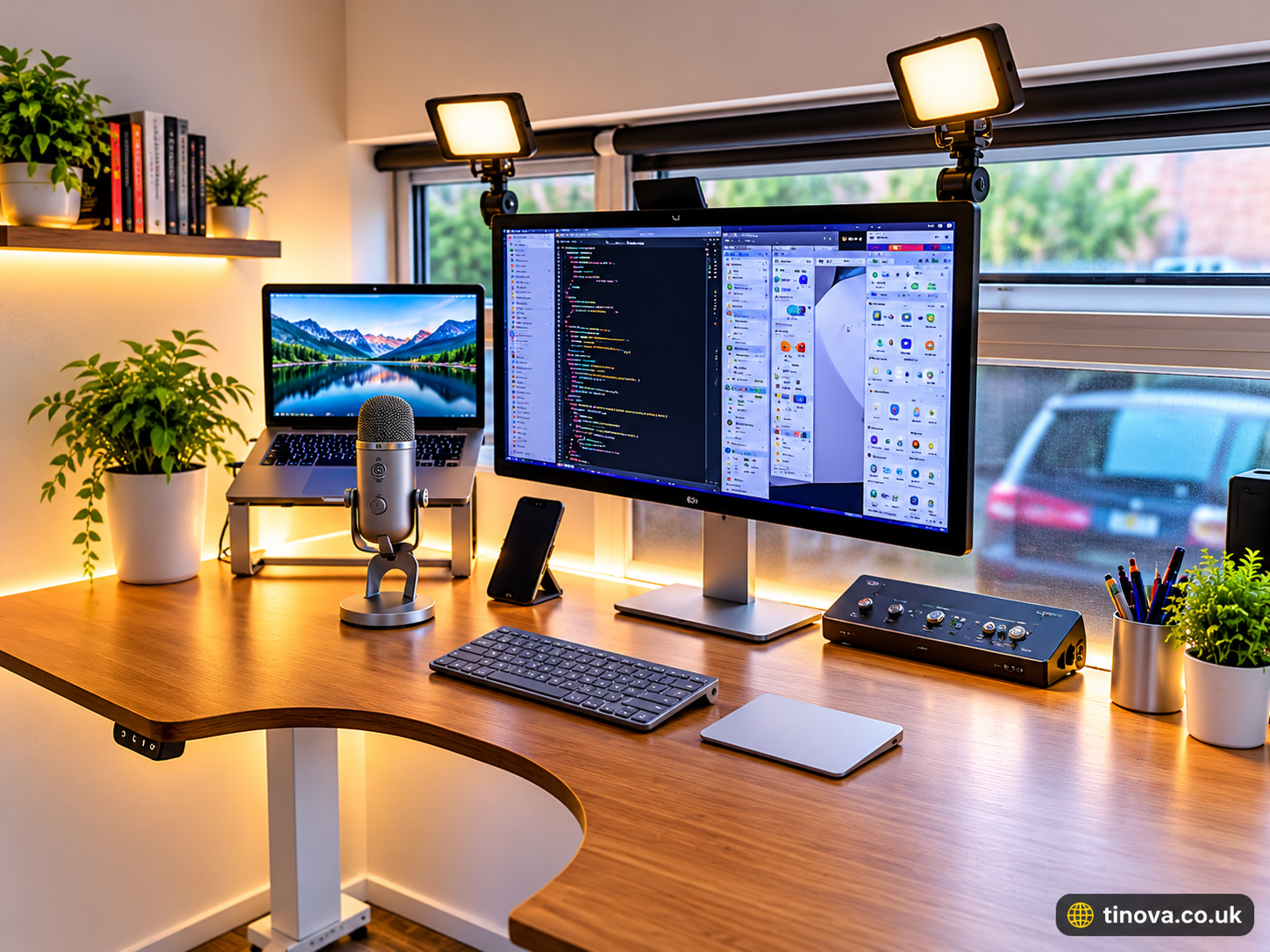
Working from home offers flexibility, convenience, and more control over your daily schedule. However, staying productive outside a traditional office requires more than just a laptop and an internet connection. You need an organized workspace, reliable technology, comfortable furniture, and a routine that supports focused work.
A well-planned remote work setup helps you manage daily responsibilities, communicate with colleagues, complete tasks efficiently, and maintain a healthy work-life balance. Whether you are a freelancer, remote employee, business owner, or student, creating the right working environment can make a significant difference.
This article explains the essential equipment, workspace arrangements, internet requirements, productivity techniques, and security practices needed to build an effective home office.
1. Choose the Right Workspace for Remote Work
The first step is selecting a suitable location where you can concentrate without unnecessary distractions. Ideally, choose a quiet area with enough space for your computer, desk, chair, and other essential equipment.
A separate room is helpful, but it is not necessary. A small corner of your bedroom or living room can also work if it provides sufficient privacy and comfort.
Consider these factors when selecting your workspace:
- Quiet environment: Choose a location away from television noise, household activities, and frequent interruptions.
- Natural lighting: Position your desk near a window when possible, while avoiding direct glare on your screen.
- Proper ventilation: Ensure the room has enough airflow to remain comfortable throughout the day.
- Available space: Keep enough room for your computer, documents, accessories, and everyday work materials.
- Fewer distractions: Organize your surroundings so unnecessary objects do not interrupt your concentration.
For example, a freelancer who handles client communication and website projects can use a small desk in a quiet corner. Keeping work-related items in one place makes it easier to start tasks and maintain an organized routine.
2. Invest in Essential Home Office Equipment
Having suitable equipment makes everyday tasks easier and helps create a more functional working environment. You do not need to purchase expensive products immediately. Start with essential items and upgrade them according to your workload.
Here are the most important components:
Computer or Laptop
A reliable computer is the foundation of most remote jobs. Choose a laptop or desktop that can comfortably handle your regular applications, browser tabs, video meetings, and work-related software.
For everyday office tasks, consider a device with sufficient memory, dependable storage, and a processor that meets your software requirements. People working with graphic design, video editing, or development may need more powerful hardware.
Comfortable Office Chair
A supportive chair is important when you spend several hours working at a desk. Look for adjustable height, suitable back support, and a comfortable seat.
Your feet should rest flat on the floor or a footrest. Adjust the chair so your shoulders remain relaxed and your arms can reach the keyboard comfortably.
Desk and Monitor
Choose a desk with enough surface area for your equipment. An external monitor can be particularly useful for people who regularly work with spreadsheets, website dashboards, design applications, or multiple documents.
Position the screen directly in front of you, approximately an arm’s length away, and adjust its height to support a comfortable viewing position.
Keyboard and Mouse
An external keyboard and mouse can improve comfort when using a laptop for extended periods. Keep both devices close together and position them so your wrists remain relatively straight.
These accessories are especially useful when your laptop is placed on a stand to raise its display.
3. Ensure Reliable Internet and Essential Technology
A stable internet connection is one of the most important requirements for working remotely. Slow speeds, frequent disconnections, and poor network coverage can interrupt meetings, delay file transfers, and affect communication with clients.
Before choosing an internet package, consider the type of work you perform. Video conferencing, cloud applications, large file uploads, and collaborative tools generally require a more dependable connection than basic browsing or email.
Consider these practical improvements:
- Use a reliable connection: Select an internet service that supports your daily workload.
- Improve Wi-Fi coverage: Place your router in a central, unobstructed location.
- Consider Ethernet: A wired connection can provide greater stability for important meetings and large transfers.
- Keep backup internet available: A mobile hotspot can help when your primary connection becomes unavailable.
- Use a power backup: A UPS or suitable backup solution can help protect your work during electricity interruptions.
You should also keep essential software updated. Applications such as Zoom, Microsoft Teams, Google Workspace, and Slack can support meetings, document sharing, and team communication.
Choose tools based on your actual requirements rather than installing multiple applications that perform the same tasks.
4. Organize Your Workspace for Better Productivity
A clean and organized workspace can make it easier to focus on important responsibilities. When your desk is crowded with unnecessary objects, finding documents and switching between tasks may become more difficult.
Start by keeping frequently used items within easy reach. Store paperwork, chargers, notebooks, and accessories in designated places.
Digital organization is equally important. Create separate folders for client projects, invoices, documents, personal files, and completed assignments.
You can also improve your daily workflow through simple productivity habits:
- Create a daily task list: Identify your most important responsibilities before starting work.
- Set realistic deadlines: Divide large assignments into smaller, manageable tasks.
- Limit notifications: Silence unnecessary alerts during focused working periods.
- Schedule regular breaks: Step away from the screen periodically to move and rest.
- Review your progress: Check completed tasks at the end of each working day.
For example, a remote content writer might divide the day into research, writing, editing, and client communication sessions. This approach makes priorities clearer and reduces unnecessary task switching.
5. Maintain Proper Ergonomics and Physical Comfort
Ergonomics refers to arranging your working environment to support comfort, efficiency, and safer working positions. Poorly positioned equipment and prolonged awkward postures can contribute to neck, shoulder, wrist, and back discomfort.
A suitable workstation should allow you to work without constantly leaning forward or stretching to reach your equipment.
Follow these practical recommendations:
- Keep the monitor directly in front of you.
- Position the top of the screen at or slightly below eye level.
- Keep your elbows close to your body while typing.
- Maintain relatively straight wrists when using the keyboard and mouse.
- Support your lower back with an appropriately adjusted chair.
- Keep your feet flat on the floor or use a stable footrest.
- Adjust lighting to reduce reflections and screen glare.
If you mainly use a laptop, consider raising its screen with a stable laptop stand and connecting a separate keyboard and mouse.
Avoid remaining in the same position for excessively long periods. Change your posture regularly, take short movement breaks, and adjust your workspace whenever something feels uncomfortable.
The Occupational Safety and Health Administration (OSHA) provides additional recommendations for arranging computer workstations and selecting suitable equipment.
6. Protect Your Data and Maintain Online Security
Remote employees and freelancers often handle confidential documents, customer information, business accounts, and important project files. Protecting this information should be an essential part of your working environment.
Basic security measures can reduce common risks and help prevent unauthorized access.
Start with these practices:
Use strong passwords: Create unique passwords for important accounts and consider using a reputable password manager.
Enable two-factor authentication: Add an additional verification step to accounts that support it.
Keep software updated: Install operating system, browser, and application security updates regularly.
Use secure connections: Avoid accessing sensitive business accounts through untrusted public Wi-Fi. Use an approved VPN when required by your organization.
Back up important files: Maintain secure backups of essential documents and project data.
Recognize suspicious messages: Be careful with unexpected email attachments, unfamiliar links, and requests for confidential information.
If you work with clients, follow their security policies and use approved applications for sharing documents. The UK National Cyber Security Centre also provides practical guidance for individuals and organizations working remotely.
7. Build a Healthy Daily Remote Working Routine
Even a well-equipped home office cannot guarantee productivity without a consistent routine. Working from home can sometimes make it difficult to separate professional responsibilities from personal activities.
Establishing regular working hours helps create structure and makes daily planning easier.
A practical routine might include:
- Start the day by reviewing your schedule and identifying priority tasks.
- Prepare your workspace before beginning important assignments.
- Complete demanding work during your most productive hours.
- Schedule meetings and communication at suitable times.
- Take regular breaks to stretch, walk, and rest your eyes.
- Finish by reviewing your progress and preparing tasks for the next day.
It is also important to establish boundaries with family members or other people sharing your home. Let them know when you are working and when you are available.
Remember that productivity does not mean sitting at a desk continuously. A balanced routine includes focused work, regular movement, appropriate breaks, and sufficient time away from professional responsibilities.
Frequently Asked Questions (FAQs)
What is a remote work setup?
A remote work setup is an arrangement of equipment, software, internet access, and workspace facilities that allows someone to perform professional tasks outside a traditional office. It commonly includes a computer, desk, chair, internet connection, and communication tools.
What equipment do I need to work remotely?
The essential equipment includes a reliable laptop or desktop, stable internet connection, comfortable chair, suitable desk, and necessary work applications. An external monitor, keyboard, mouse, headset, and backup power supply can provide additional convenience.
How can I create a home office on a small budget?
Start with equipment you already own. Use a suitable table, a supportive chair, existing lighting, and your current computer. Organize a quiet corner and purchase additional accessories only when they solve a specific problem.
Is a separate room necessary for working remotely?
No. A dedicated office room is helpful but not essential. A quiet, organized corner with sufficient lighting and a comfortable working surface can be suitable for many remote jobs.
How can I stay productive while working from home?
Create a daily schedule, set clear priorities, reduce distractions, and divide larger assignments into smaller tasks. Regular breaks and consistent working hours can also help maintain concentration.
How do I make my remote workstation more comfortable?
Adjust your chair, monitor, keyboard, and mouse to support a natural working position. Keep your screen at a comfortable viewing height, support your back, and change positions regularly throughout the day.
Conclusion
Creating an effective home office requires thoughtful planning, suitable equipment, reliable technology, and consistent working habits. From selecting a quiet location to improving ergonomics and protecting important information, every element contributes to a more comfortable working environment.
A practical remote work setup does not have to be expensive or complicated. Start with the essentials, organize your workspace, establish a productive routine, and make improvements as your professional requirements change.
With the right approach, you can build a working environment that supports daily responsibilities, improves organization, and makes remote work more manageable over the long term.
Also Read:
Remote Work Setup: How to Create a Productive and Comfortable Home Office

If you enjoy playing browser games, solving unusual puzzles, and discovering creative online experiences, Neal Fun is a website worth exploring. It brings together a collection of interactive games, digital experiments, visual projects, and educational experiences created by independent developer Neal Agarwal.
Unlike traditional gaming platforms that focus mainly on action, racing, or multiplayer games, this website offers something different. You can combine elements, solve unusual challenges, explore the ocean, and interact with creative digital experiments directly through your browser.
Whether you are looking for a quick game or an interesting way to spend your free time, this platform offers several experiences to discover. This article explains what it is, who created it, which projects you can try, and how to access them.
What Is Neal Fun?
Neal Fun is an independent website featuring interactive games, creative experiments, and digital projects developed by Neal Agarwal. Its homepage describes the collection simply as games and other things created by Neal.
The projects cover different subjects, including puzzles, science, internet culture, creativity, and everyday ideas. Some are designed mainly for entertainment, while others use interactive visuals to explain interesting concepts.
One important feature is that many experiences can be opened directly in a web browser. Visitors can choose a project, follow its instructions, and start exploring without installing traditional desktop gaming software.
You can access the official website at Neal.fun.
Who Created Neal Fun?
Neal Agarwal is the independent developer behind the website. According to his official About page, he studied computer science in college and began creating small side projects when he became bored during lectures.
People started enjoying those projects, but maintaining a separate website for each one became expensive. He eventually decided to bring his creations together on a single platform.
As the audience grew, the website developed into his full-time work. His projects are known for combining programming, visual design, humor, and interactive storytelling.
This background helps explain why the platform contains such a wide variety of experiences instead of following one traditional gaming format. Source: Neal Agarwal’s official About page.
Best Neal Fun Games and Interactive Projects
The website features different types of experiences, so visitors can choose according to their interests. Here are five notable projects to explore.
1. Infinite Craft
Infinite Craft is a creative combination game that allows players to discover new elements by combining existing ones.
The game begins with four basic elements: Water, Fire, Wind, and Earth. Players combine two elements to create something new, then use their discoveries to experiment with additional combinations.
The results can include objects, characters, places, and unexpected ideas. This open-ended approach makes the experience particularly interesting for people who enjoy experimenting and discovering new combinations.
2. The Password Game
The Password Game turns an ordinary password-creation task into a challenging puzzle.
Players must create a password that follows a growing list of unusual rules. As the challenge progresses, new requirements make it increasingly difficult to keep the password valid.
It is a good choice for people who enjoy logic puzzles, problem-solving, and challenges that require patience. The changing rules are what make this experience different from a normal password generator.
3. The Deep Sea
The Deep Sea is an interactive educational project that explores the different depths of the ocean.
Visitors scroll down the page to explore ocean environments, discover marine animals, and learn about the conditions found at different depths.
The experience combines illustrations with information about underwater life and deep-sea exploration. It is especially interesting for people who enjoy marine science, nature, and educational content.
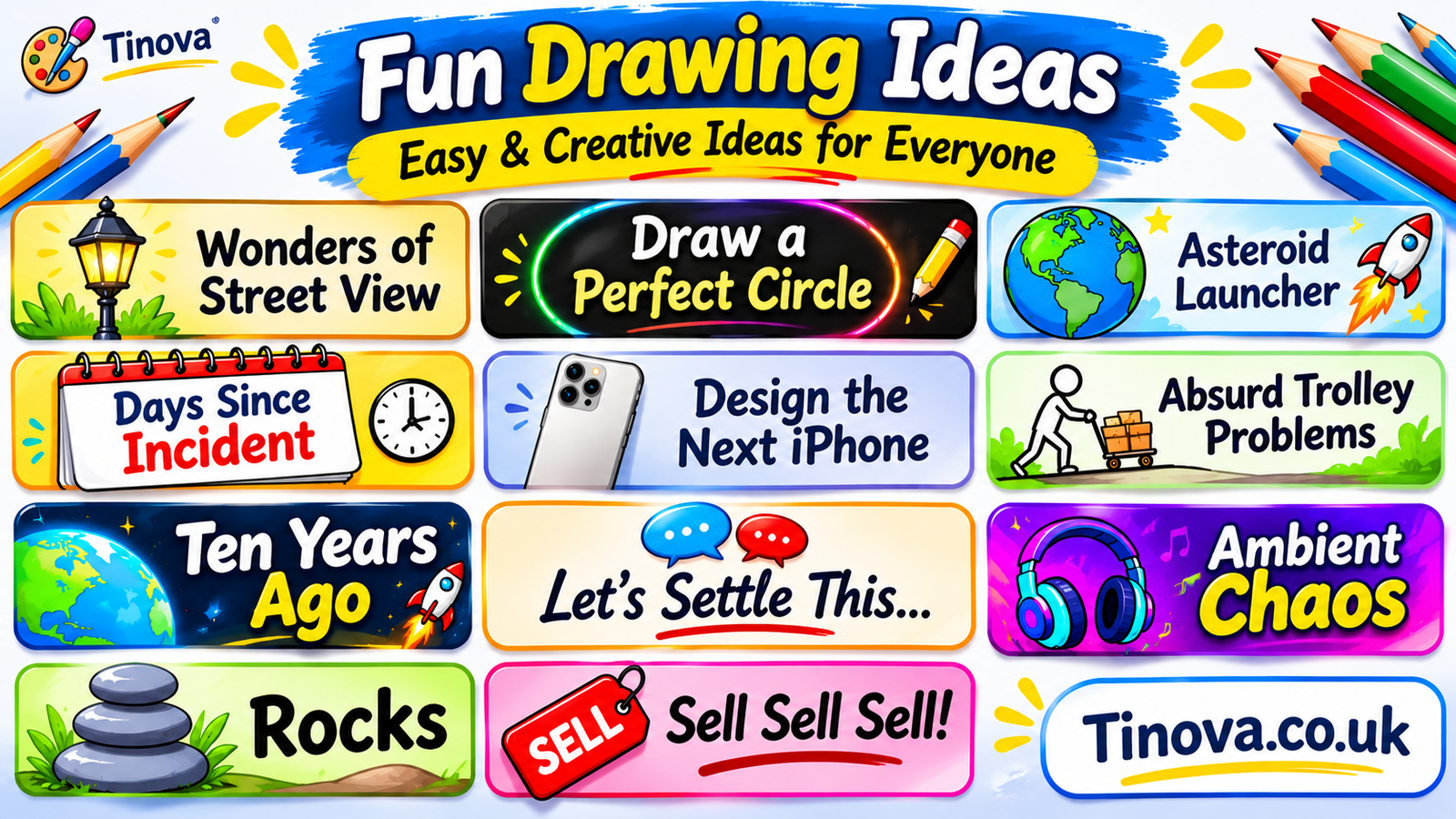
4. Draw a Perfect Circle
Draw a Perfect Circle is a simple but entertaining drawing challenge.
AsyncImage query”Neal.fun Draw a Perfect Circle official game screenshot” aspectRatio width.
The goal is to draw a circle as accurately as possible. After completing the drawing, the experience evaluates its shape and gives feedback on how close it is to a perfect circle.
You do not need professional drawing skills to try it. The challenge is easy to understand, making it suitable for a short break or a quick competition with friends.
5. Spend Bill Gates’ Money
Spend Bill Gates’ Money is an interactive spending simulation built around the idea of purchasing items using a fictional representation of an enormous fortune.
AsyncImage query”Neal.fun Spend Bill Gates Money interactive spending simulator screenshot” aspectRatio width.
Users select items and watch the virtual balance change as they make purchases. It provides an entertaining way to understand how difficult it can be to imagine spending extremely large amounts of money.
This is a fictional simulation, not a real financial service or an opportunity to access anyone’s money. Check the official homepage for the current availability of this and other projects.
How to Use Neal Fun on a Computer or Mobile
Getting started is straightforward. Many projects are available through a browser, so you can explore them without downloading a separate desktop game.
Follow these steps:
- Open Google Chrome, Firefox, Safari, or another supported browser.
- Visit the official website at neal.fun.
- Browse the available projects on the homepage.
- Select the game or interactive experience you want to try.
- Read the instructions displayed on the project page.
- Use your mouse, keyboard, touchscreen, or scrolling controls as required.
- Return to the homepage to explore another project.
You can also try the website through a mobile browser. However, the experience may vary depending on the project, screen size, browser, and device.
Is Neal Fun Free to Use?
The website offers browser-based experiences that visitors can explore without purchasing a standard subscription. Its official Privacy Policy also states that the services can be used without creating an account.
However, free access should not be confused with an absence of advertising. The current Privacy Policy explains that advertising supports the services and that advertising partners may collect certain technical and usage information.
Individual projects and mobile applications may also have different features or requirements. Check the relevant project page for the latest details before using a particular experience.
Is Neal Fun Safe for Kids?
The website contains educational, creative, and entertaining projects, but that does not mean every experience is appropriate for every age group.
Some activities focus on science and exploration, while others include unusual humor, internet references, or challenging themes. Parents should review individual projects before allowing younger children to use them.
There is also an important age-related detail in the official Privacy Policy: the services are intended for a general audience and are not directed at children under 13, or below the applicable age of digital consent in their country.
For this reason, parents and guardians should consider the website’s content and privacy information before deciding whether it is suitable for a child.
Read the official Privacy Policy for information about data collection, advertising, and children’s privacy.
What Makes Neal Fun Different from Other Gaming Websites?
Many gaming platforms concentrate on established genres such as racing, sports, action, and strategy. This website takes a more experimental approach by bringing together projects with different purposes and styles.
Its main strength is the variety of ideas. One project might challenge your ability to create a password, while another lets you combine elements or explore underwater environments.
The experiences also encourage curiosity rather than simply asking visitors to complete traditional gaming levels. This makes the platform interesting for people who enjoy puzzles, interactive storytelling, creative experiments, and educational visualizations.
Another advantage is accessibility: many projects can be opened directly in a browser, making it easy to try something new without a lengthy installation process.
Frequently Asked Questions
1. What is Neal Fun?
It is a website featuring browser-based games, interactive experiments, visualizations, and creative projects developed by Neal Agarwal.
2. Who created Neal Fun?
Neal Agarwal, an independent programmer and developer, created the website to bring his small online projects together in one place.
3. Is Neal Fun free?
Many browser-based experiences are available without a subscription. The official Privacy Policy explains that advertising helps support the services.
4. Can I play Neal Fun games on my phone?
Many projects can be accessed through mobile browsers. However, controls and performance may vary depending on the specific experience and device.
5. Do I need an account to use the website?
The official Privacy Policy states that the services can be used without creating an account. Some individual features may have separate requirements.
6. What is Infinite Craft?
Infinite Craft is a combination game in which players use Water, Fire, Wind, and Earth to create new elements and discover unexpected results.
7. Is the website suitable for children?
Some projects are educational, but others may contain humor or themes that are not suitable for every age. The official Privacy Policy says the services are not directed at children under 13.
8. Where can I find the official website?
Visit neal.fun to browse the available games and interactive projects.
Final Thoughts
Neal Fun offers a creative alternative to traditional online gaming websites. Its collection includes combination games, unusual puzzles, drawing challenges, and educational experiences that encourage visitors to explore different ideas.
Projects such as Infinite Craft, The Password Game, and The Deep Sea demonstrate how simple browser interactions can become entertaining and informative experiences.
If you enjoy discovering unusual games or exploring creative digital projects, visit the official website and choose an experience that interests you. Since projects and features can change, the official homepage is the best place to find the latest available collection.
Also Read:
How to Use a Router Table: A Complete Beginner’s Guide (2026)
How to Sew a Zipper: A Complete Step-by-Step Guide for Beginners (2026)


 Lifestyle4 months ago
Ibrahim Chappelle Biography: Family, Background, and Life Story
- Entertainment4 months ago
Audio Renderer Error Ryujinx: Causes, Fixes, and Complete Troubleshooting Guide
- Lifestyle4 months ago
Drew Ann Reid: Life Beyond the Spotlight
- Blogs4 months ago
28 Days From Today: Complete Date Calculation Guide
- Tech4 months ago
Network Node Explained: Functions, Types, and Uses
- Business4 months ago
Michigan Business Entity Search for LLCs, Corporations, and Nonprofits
- Tech4 months ago
Submarine Technology: How Modern Submarines Work
- Sports4 months ago
Virat Kohli: The Complete Biography of India’s Cricket Legend